

The premise
Claude Code can work on its own for a long time, right up to the moment it needs you. A permission prompt, a question, a plan waiting for a yes. Then the session sits there until you’re back at the keyboard, and the twenty minutes you spent making coffee turn out to have been twenty minutes of nothing.
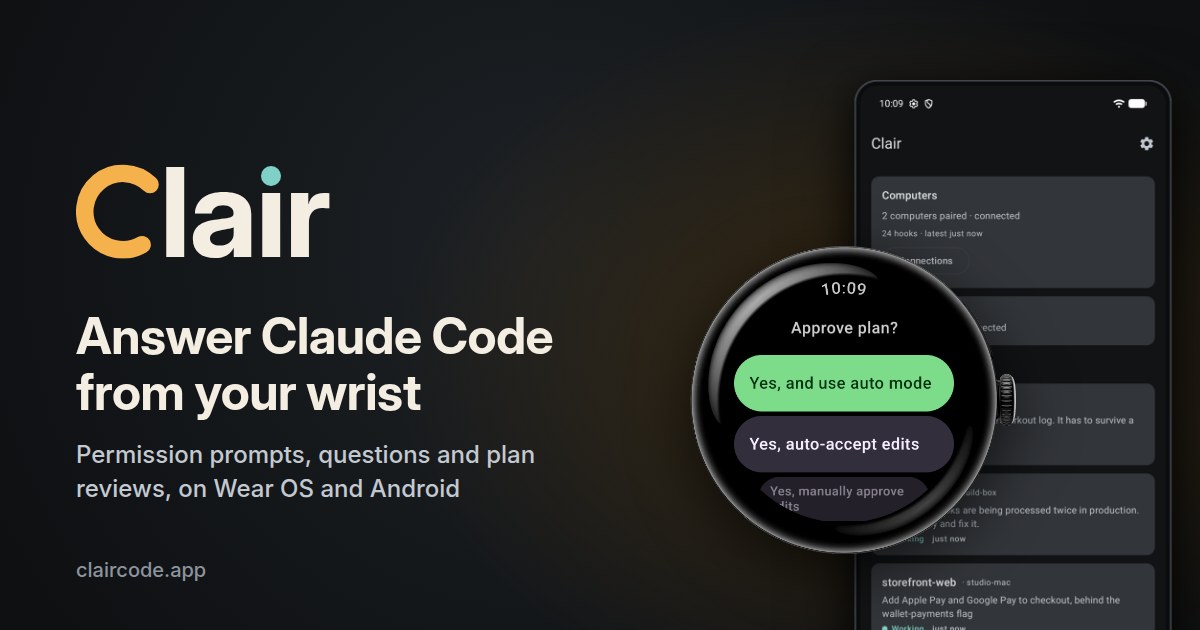
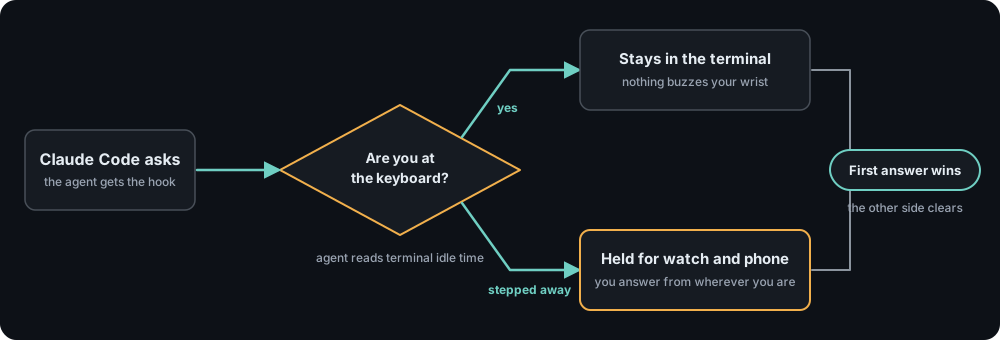
Clair moves those moments to your wrist or your phone. When Claude Code asks, the prompt shows up on the watch with the exact command or edit in question, and you answer from there. The prompt also stays in your terminal, and whichever answer arrives first settles it. Answer on the watch and the terminal moves on. Answer at the keyboard and the watch clears.
I built it solo in about ten days. The hard part isn’t the watch screen. It’s getting a prompt from a laptop to a watch without anything in the middle being able to read it.
What you can answer
Permission prompts show what Claude wants to run or change. You can allow it, allow it for the session, allow it and remember the rule (Claude Code’s own suggested rule, not one Clair invents), or deny it with a reason you type or dictate.
Questions arrive with their options and descriptions. Pick one, pick several when the question allows it, or write an answer of your own.
Plan reviews let you approve in the mode you want (auto mode, auto-accept edits, or manual approval of each edit), or send the plan back with a note about what should change.
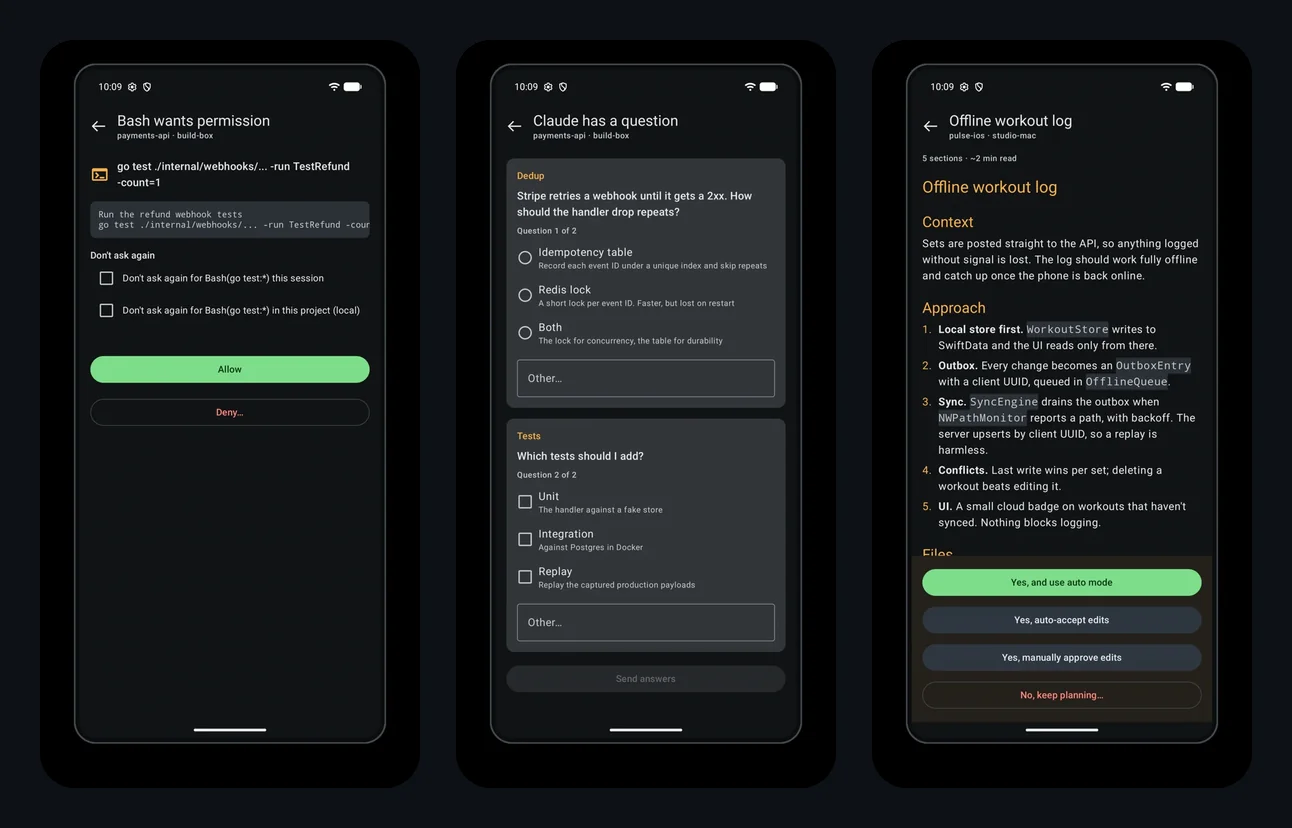
A permission prompt, a question and a plan review on the phone. The watch shows the same prompts.
The watch app has a tile that works as an inbox and turns into a session board when several sessions are running. A complication shows how many sessions are waiting on you, with a ring for your usage window, and a bundled watch face meters the same limits. The phone app can answer the same prompts, so a watch is optional. If yours has Wi-Fi or LTE it keeps working when you leave your phone in another room, as long as the phone itself is on and online, since it stays the bridge.
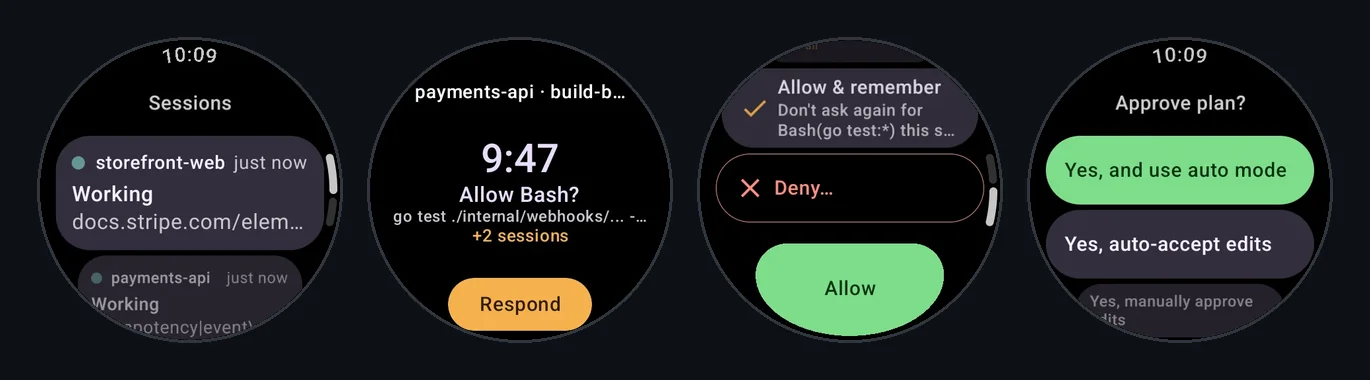
The session list, the tile, permission actions and plan approval on the watch.
How a prompt reaches your wrist
Claude Code has an extension point called hooks: it calls out to a program you’ve configured at specific moments, and for a permission prompt it will wait for that program’s answer. Clair is built entirely on that. It never asks for your Claude login, which is also why it works however Claude Code signs in.
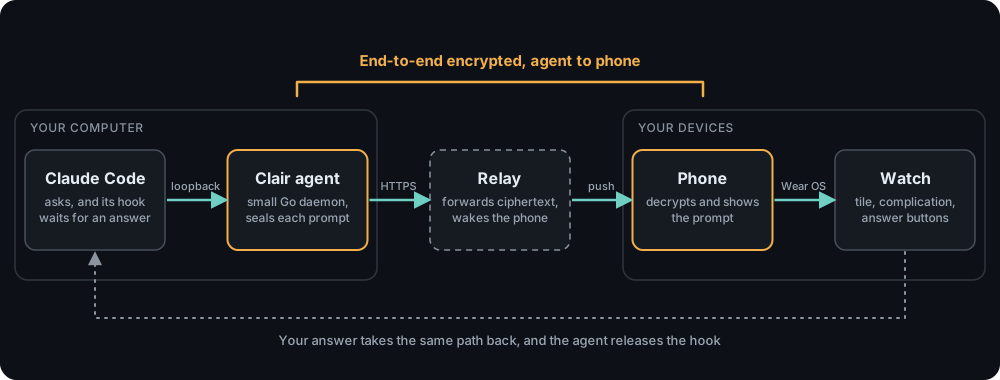
The agent is a small Go daemon on your computer. It writes its hooks into
Claude Code’s settings.json (merged in place, with a backup) and listens for
them on a loopback port. When a prompt comes in, it seals the prompt, uploads
it to the relay, and holds the hook open. A push wakes your phone, the phone
decrypts the prompt and hands it to the watch, and your answer travels the same
path back. The agent then releases the hook with your decision.
Both ends make outbound HTTPS connections only, so neither your computer nor your phone has to be reachable from the internet.
Pairing is the root of trust
Running clair pair shows a QR code in your terminal. It holds your
computer’s public key and a secret that is never sent through the relay. Both
sides derive their keys from that secret, so a relay that never saw it can’t
derive anything useful. The code works once and expires quickly, and the
terminal names the phone that scanned it and asks you to confirm.
Messages are sealed with XChaCha20-Poly1305 under keys from an X25519 exchange. Each envelope also authenticates which pairing it belongs to, which direction it’s travelling, and how urgent the sender said it was. The relay can’t re-address a message or bump its priority without breaking it.
What the relay can and can’t see
The end-to-end encryption covers the path from the agent on your computer to the phone. The relay stores and forwards sealed messages, and it does see the metadata it needs to deliver them.
| The relay can’t read or forge | The relay can see |
|---|---|
| Commands and edits | Which pairings are active |
| Questions and plans | When they send, and how much |
| Your answers | IP addresses and the phone’s push token |
The push that wakes your phone carries only which pairing has mail waiting, never content, and a sealed message is held until your phone collects it, a day at most.
The last hop, from phone to watch, runs over Wear OS’s own connection. It isn’t part of Clair’s encryption, and I don’t claim it is.
One spec, three implementations
The protocol is a single written specification implemented separately in Kotlin (the phone), Go (the agent) and TypeScript (the relay), with no shared code by design. What keeps them honest is a set of byte-exact test vectors pinned on the Kotlin side and reproduced byte for byte by the Go suite. If two languages disagree about how to serialize the same record, a test fails before a user notices.
The relay itself runs as a serverless function. The first design assumed a
long-running server with unbounded streams. The shipped one bounds every
stream to the platform’s time limit and resumes with Last-Event-ID.
Knowing when you’re away
A tool like this is annoying if it buzzes your wrist while you’re typing. The agent reads your terminal’s input idle time itself, with no helper process. While you’re at the keyboard, a background agent’s prompt stays in the terminal. Once you’ve stepped away, it’s held for the watch. The threshold is a setting on the phone, and you can turn the rule off.
The agent installs as a login service for your user: a systemd user unit on Linux, a LaunchAgent on macOS, a Scheduled Task on Windows. It’s deliberately never a system service, because it needs to see your terminal. It also keeps itself current. New releases are accepted only if their signature verifies against a key built into the agent, and only moving forward. You can turn the background check off in the agent’s config.
Independent, and free to install
Clair is an independent app. It isn’t made, sponsored or endorsed by Anthropic, and it connects to Claude Code through the same hooks any user can configure. It’s free to install, and answering prompts from your phone or watch needs a subscription through Google Play. Current terms and platform requirements are on the Play listing, since those change faster than a blog post.
Try it
Clair is at claircode.app, which has the agent’s install steps and a longer explanation of how pairing and privacy work. The phone and watch apps are on Google Play.